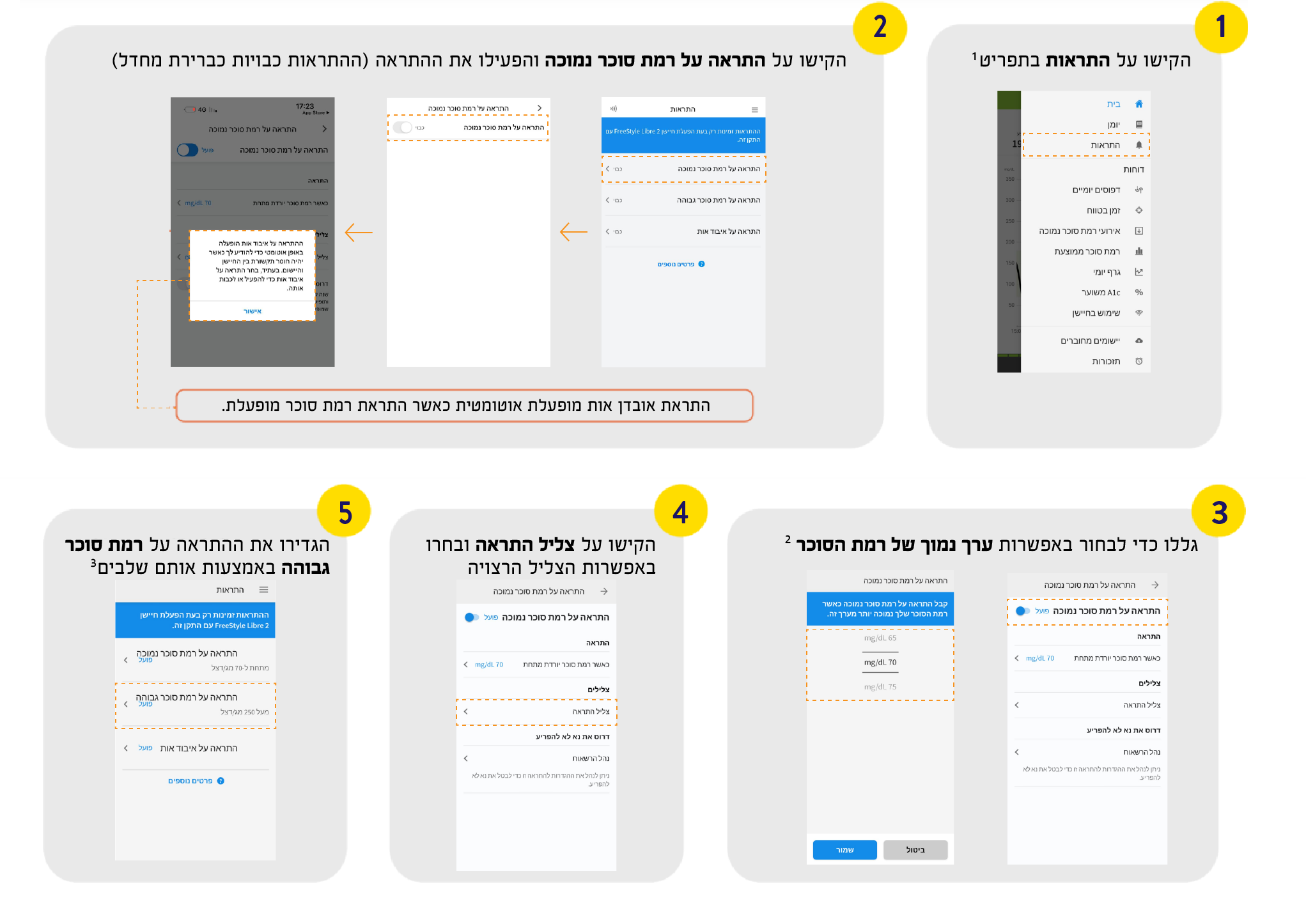
כיצד להגדיר התראות באפליקציית FreeStyle LibreLink◊
Once you've started your sensor, follow the instructions below to receive alarms on the FreeStyle LibreLink◊ or FreeStyle Libre 3 app.◊◊



5x more readings power 5x faster alarms 4 that let you know the minute your glucose is too high or too low.¤

Optional glucose alarms are easy to turn on and off and easy-to-adjust sound and vibration.5

You can rely on proven alarm accuracy, especially in the low glucose range.6

Activate
Choose to set a low glucose alarm, high glucose alarm or both. Signal Loss alarm is automatically turned on when glucose alarm is turned on.

Alarm
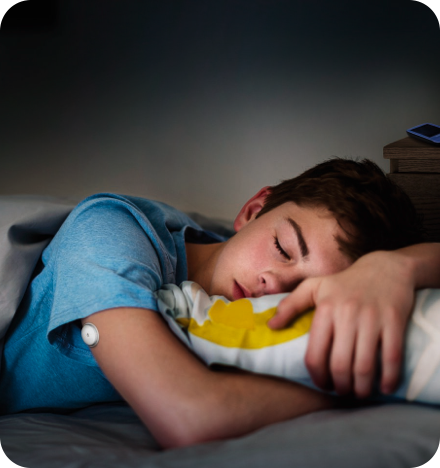
Automatically receive an alarm the minute your glucose is too low or too high, even overnight.¤

Act
Use your glucose reading, trend arrow, and 8-hour history to take appropriate action right away.
Once you've started your sensor, follow the instructions below to receive alarms on the FreeStyle LibreLink◊ or FreeStyle Libre 3 app.◊◊
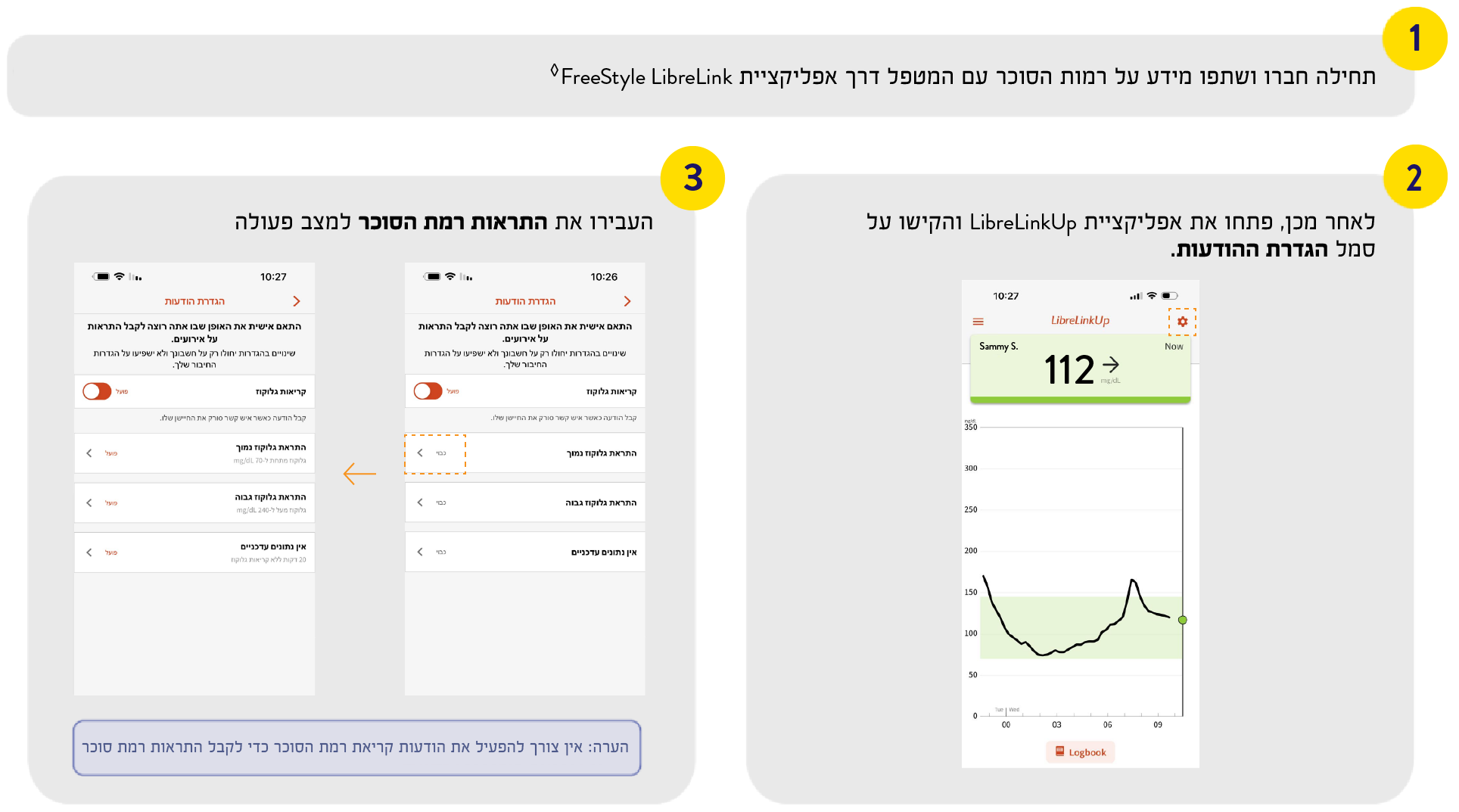
With the LibreLinkUp app, family members and friends can receive your real-time glucose readings and customise glucose alarms.^ For more information about connecting and sharing glucose information with caregivers, go to the LibreLinkUp page. To set up alarms on LibreLinkUp, follow the instructions below.
To receive optional glucose alarms on your smartphone, you need to make sure you have notifications enabled for the app. If you didn't enable all notifications and permissions during app set up, how you do it now depends on whether which app you're using and your phone's operating system.
פתחו את הגדרות במכשיר האנדרואיד שלכם.
עברו לאפשרות יישומים, בחרו באפליקציית FreeStyle LibreLink ובחרו באפשרות התראות.
הקישו על התראות והפעילו את כל התראות LibreLink.
הקישו על מיקום והפעילו את אפשר רק בעת שימוש באפליקציה.
אם בחרתם באפשרות דחה עבור הפסק את מיטוב השימוש בסוללה במהלך הגדרת האפליקציה, העבירו את הסוללה למצב אפשר.
If you use Do Not Distrub mode on your phone:
Turn off Do Not Disturb mode or manage the settings for your alarms to override Do Not Disturb
Note: Override Do Not Disturb functionality depends on the phone model and Android operating system version you are using.
פתחו את הגדרות במכשיר האייפון.
עברו לאפשרות עדכונים ובחרו באפליקציית FreeStyle LibreLink.
הפעילו את אפשר עדכונים.
הקישו כדי לסמן את האפשרויות מסך נעילה, צלילי הודעה ובאנר כדי להפעיל את כל העדכונים.
If you use Do Not Disturb mode on your phone:
Turn off Do Not Disturb mode or select to turn on Override Do Not Disturb in your alarm settings. Do this if you want the alarm to always play a sound and appear on the lock screen even if your phone is muted or Do Not Disturb is on.
Note: You must accept the app's permission request for Critical Alerts to use this feature. You can also enable the Critical Alerts setting directly from the app's notification settings.
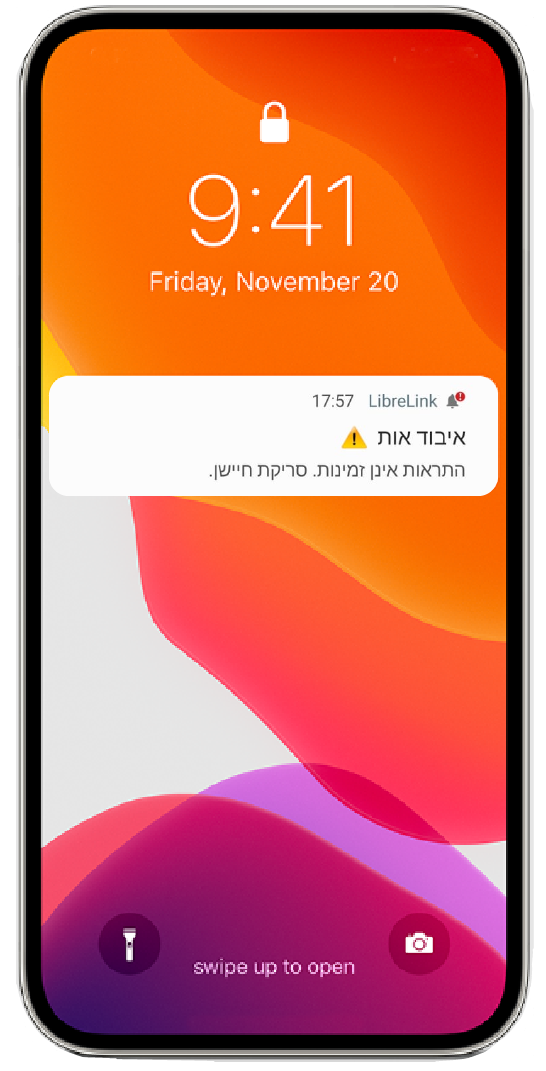
יש מספר דברים שבאפשרותכם לעשות כדי לוודא כי לא תחמיצו התראות רמת סוכר:


To continue receiving low or high glucose alarms, check the following steps:

Ensure that your smartphone◊ is within range at all times, unobstructed.
Do not force close the app – keep it running in the background.
Turn off Do Not Disturb mode or select Override Do Not Disturb in your alarm settings.
You must accept the app’s permission request for Critical Alerts to turn off Do Not Disturb mode. Or enable the Critical Alerts setting directly from the app’s notification settings.
Keep your Bluetooth switched on.
If you are still receiving the Signal Loss Alarm, visit our Troubleshooting page.